01
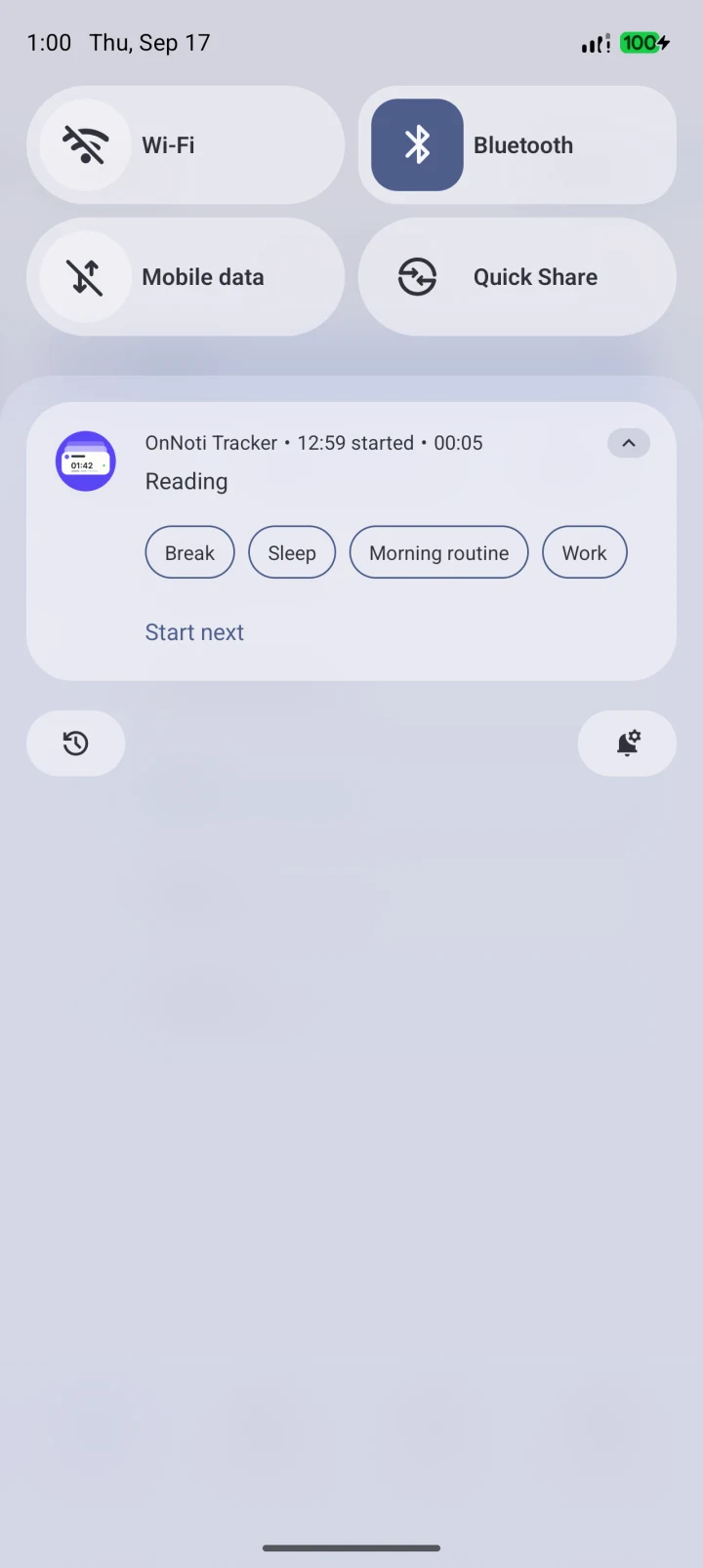
On to the next thing? Just tap your notification.
From work to a break. From reading to chores. Pull down your notifications and choose your next activity. Spend less time jumping between the app you’re using and your time tracker.
A little more clarity in your day
Work, a little break, something you love. Switch activities right from your notifications. Make room to notice how your day unfolds.
Android 12+ · English / 日本語
Fits into the flow of your day.
From work to a break. From reading to chores. Pull down your notifications and choose your next activity. Spend less time jumping between the app you’re using and your time tracker.
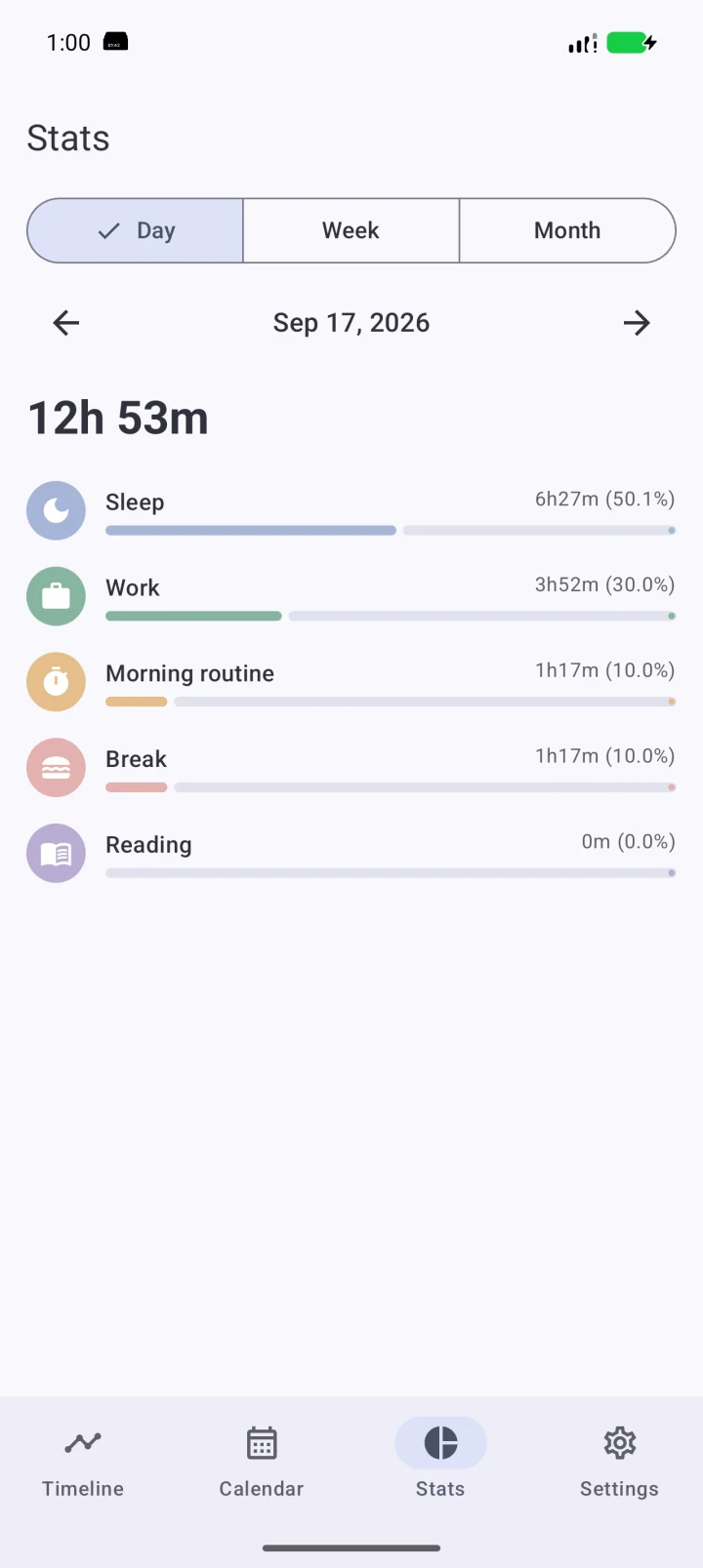
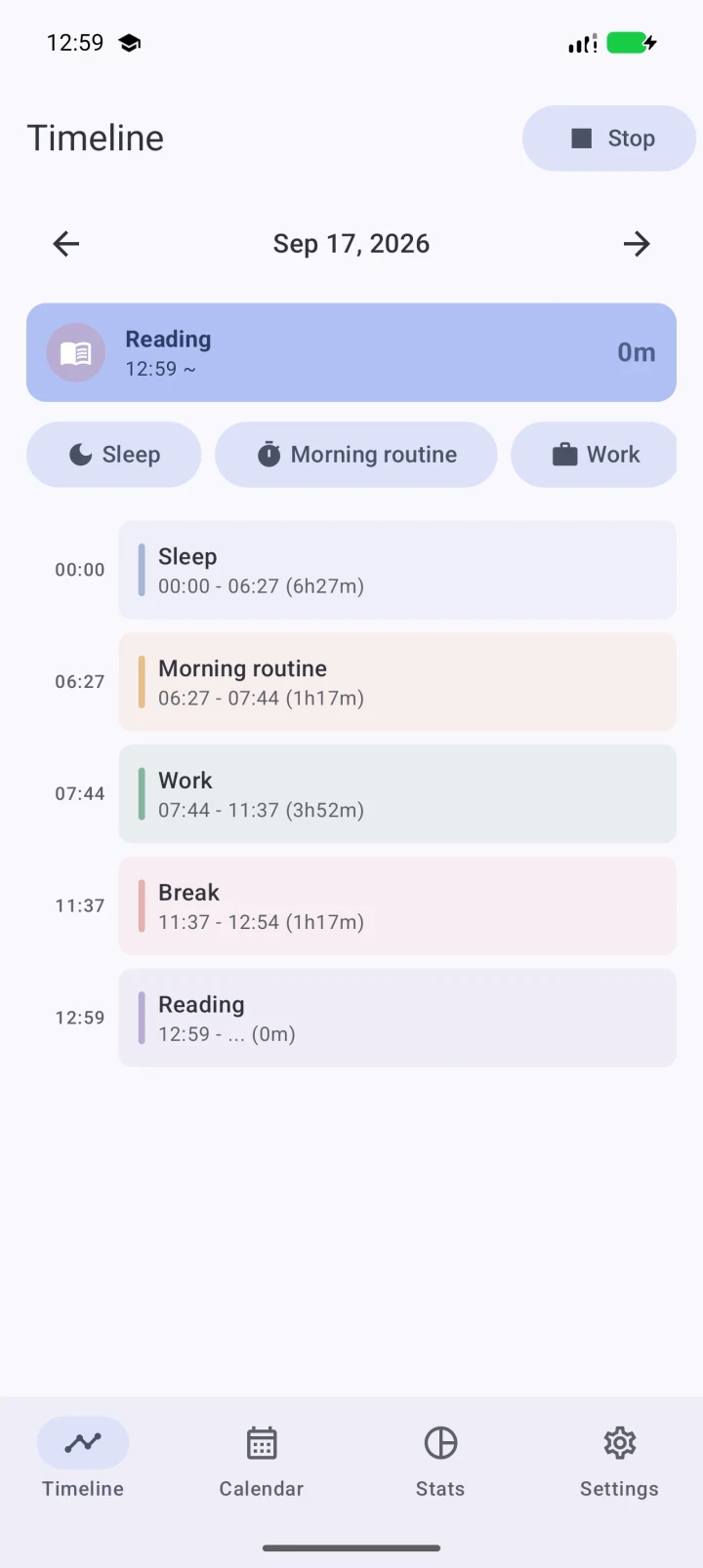
See the flow of your day in a timeline, and your time at a glance in a chart. Busy days and slow days alike: get to know your own rhythm.
Take a closer look.
Open your notifications. Switch to your next activity. Look back at your time. Here’s how it feels in the actual app.
Recorded with sample data on an Android 16 emulator. Notifications may look different depending on your device and settings. This video has no audio.
Work, chores, study or hobbies. Set up the activities that make sense for your life.
No notification sounds or vibration. Your activity and elapsed time are there when you want to check.
Register up to 10 activities for free. Need more? You can choose a Pro plan in the app.
Q & A
OnNoti Tracker is an Android time tracker that lets you switch activities from your notifications. Record time spent on work, study, chores and breaks, then review your timeline or daily, weekly and monthly statistics.
You choose what to track. Pick an activity when you start, switch from the notification when you move on, and stop tracking when you’re done.
The free plan lets you register up to 10 activities. Pro removes the activity limit, with monthly and one-time purchase options. Check the latest price in the app before purchasing.
The app is for Android 12 and later. An iPhone version is not available.
No account registration is needed to start tracking. Activity names and history are stored on your device. See the privacy policy for information about purchases and optional usage analytics.
You can edit activities and start or end times in the timeline. There’s no need to get every entry perfect in the moment.
Take a look around, and imagine how it could fit into your day.